
Board & Committee Management
An easier way to run boards, committees, and meetings.
Boost member engagement
Enhance decision making
Find and track everything in one place
An easier way to run boards, committees, and meetings.
Boost member engagement
Enhance decision making
Find and track everything in one place
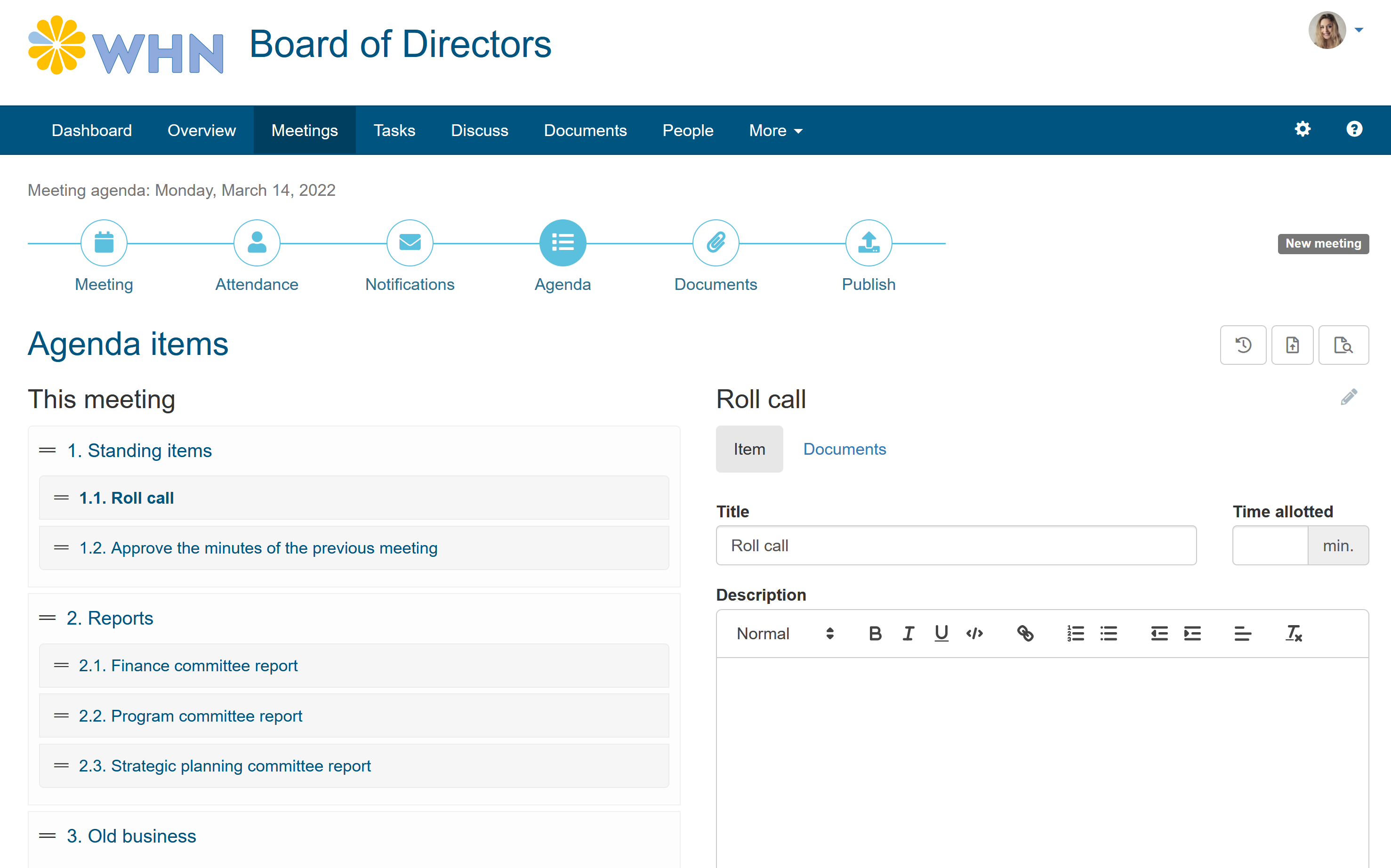
Manage your meeting agendas and minutes with ease and get members prepared with the right information.
Discussion, collaboration and sharing tools keep your members informed and engaged between meetings.
Easy to use, find everything in one place and let wizards and workflows make routine tasks easy and fast.
From the smallest nonprofits to the largest corporations, boards and committees are making key decisions
in most organizations.
MyCommittee can grow with yours.
Manage your board and all committees.
All the tools you and your members need.
Guided by best practices.
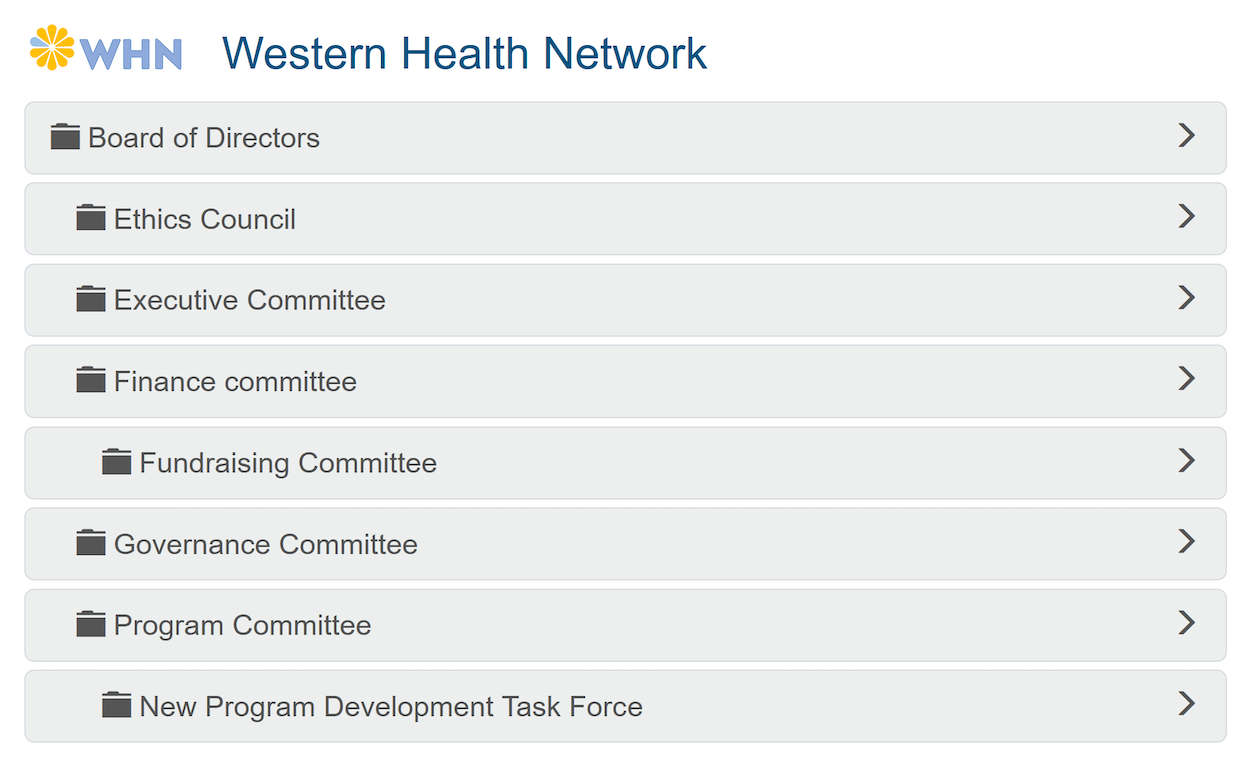

Keeping your members engaged and informed between meetings is key to efficient decision making.
Never lose agenda items and easily find historical resolutions and decisions.
Have your members prepared and achieve more meaningful discussions.
MyCommittee has all to tools to help you manage your board or committee like a pro.
Here are a few nice things folks have said about MyCommittee over the years.



“We are finding MyCommittee very, very useful! Also, thank you for allowing me to make suggestions, we appreciate how responsive you have been!”

“Just wanted to say "thanks". This tool is fantastic. Agenda creating has been frustrating in the past but you have made it simple and effective. Thanks again, I will continue to spread the word!”

You have a board or committee to run, stop worrying about meeting invitations, following up on reports or action items or keeping track of meeting minutes. We can do that for you.
We have plans for any size of organization.
All plans include unlimited meetings, unlimited users and all the document storage you need.
No, unlike most other board and committee management services, our prices are fixed, no matter how many users.
No, there are no setup or other hidden fees. Our automated setup assistant will guide you through a few easy steps to setup your board or committee.
We offer a free 30-day trial. You can try out all features completely risk free for 30 days without any obligation. No credit card required!
Yes, simply sign up for a free 30 day trial and email us a copy of your nonprofit status. We'll verify and apply the discount before your first bill.
We can help you running your board and committees more efficiently. Thousands of committees are already on board (pun intended).
Get started for free